Delete your account from within the app
Follow these four steps to permanently delete your account and all associated data directly inside NutriMax. The deletion takes effect immediately and cannot be undone.
1
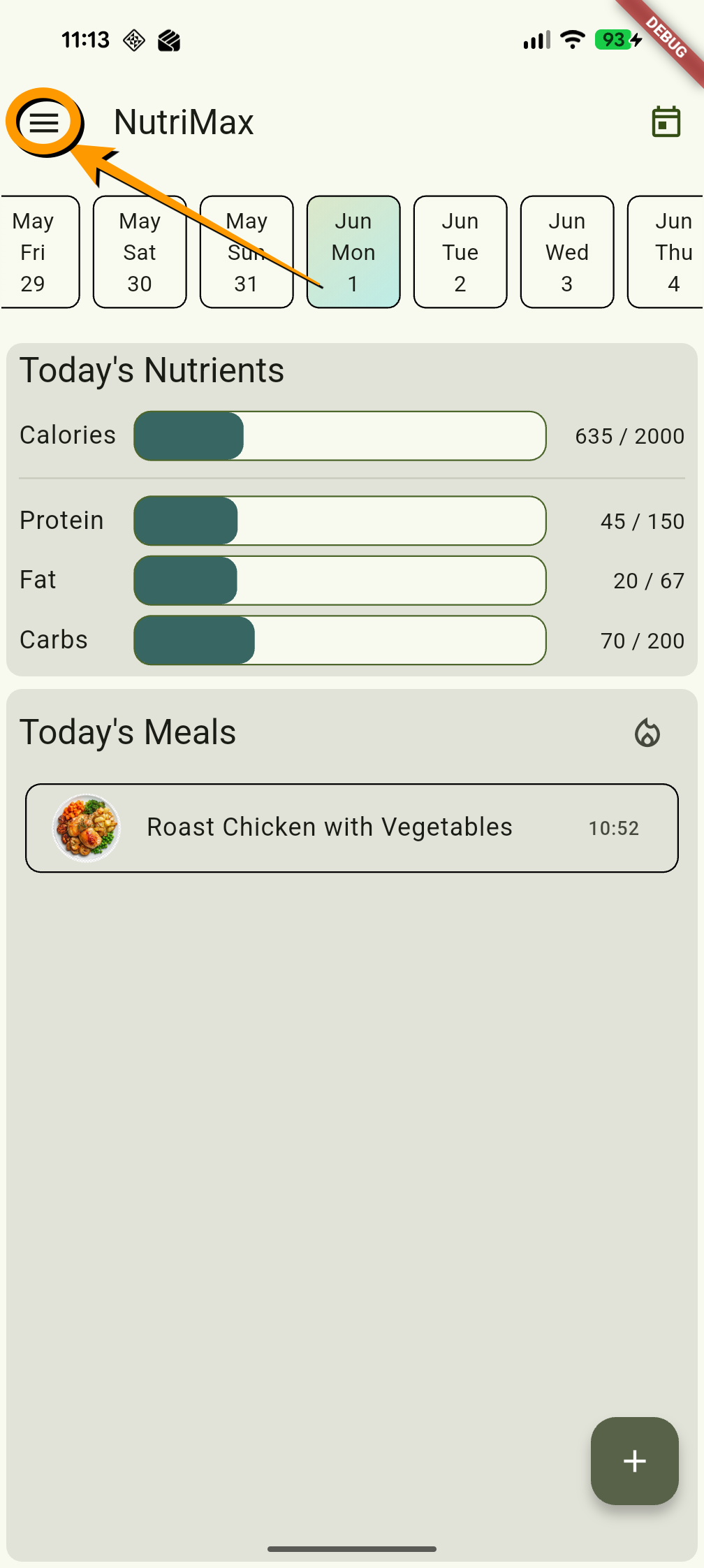
2
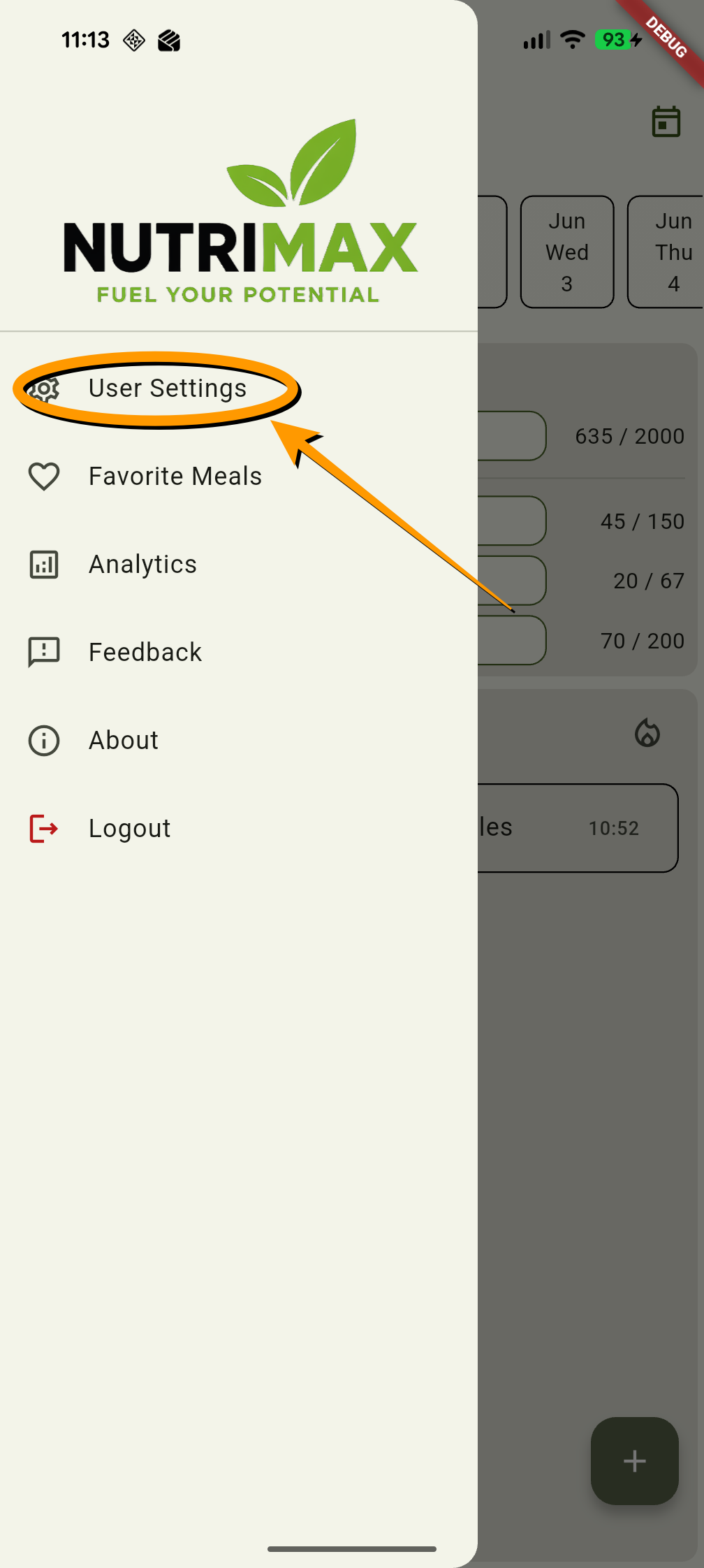
3
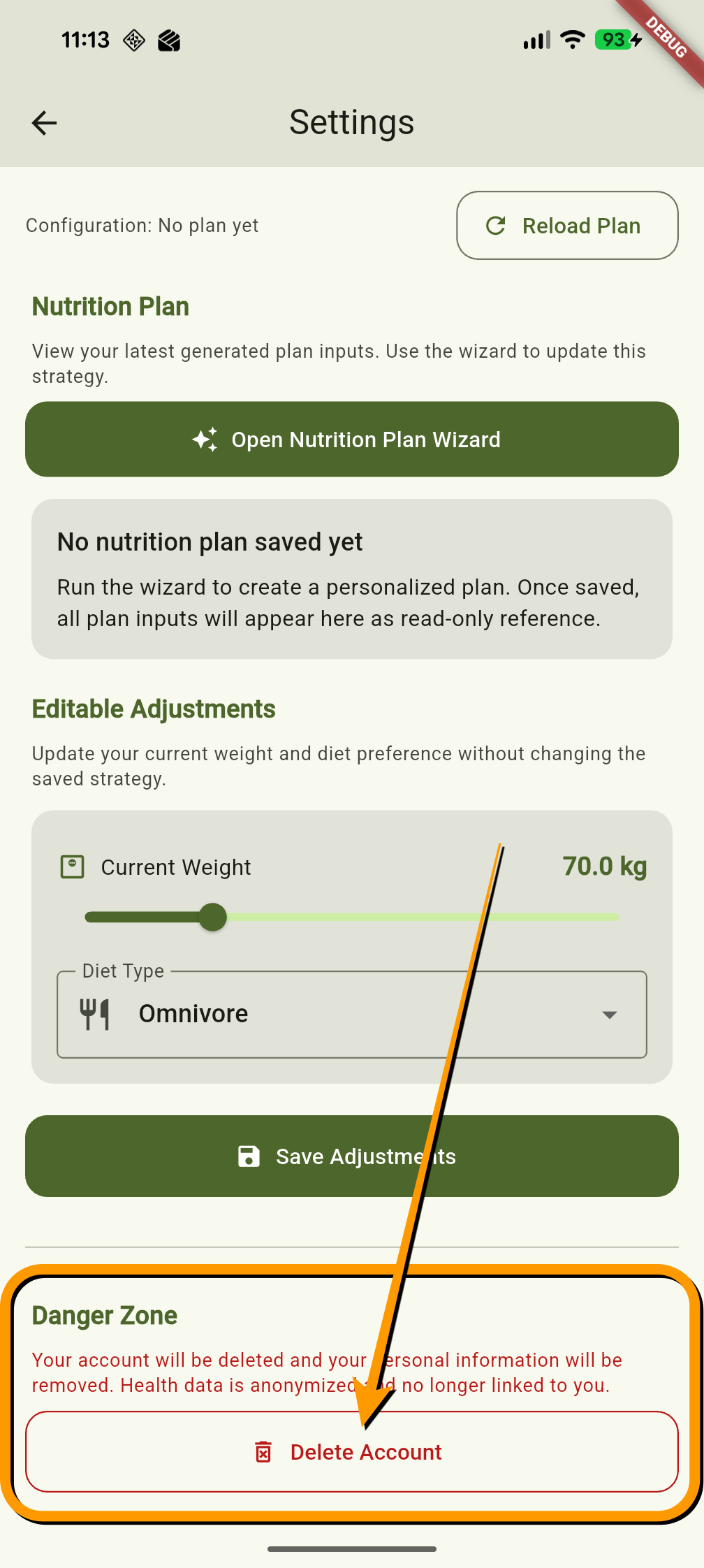
4
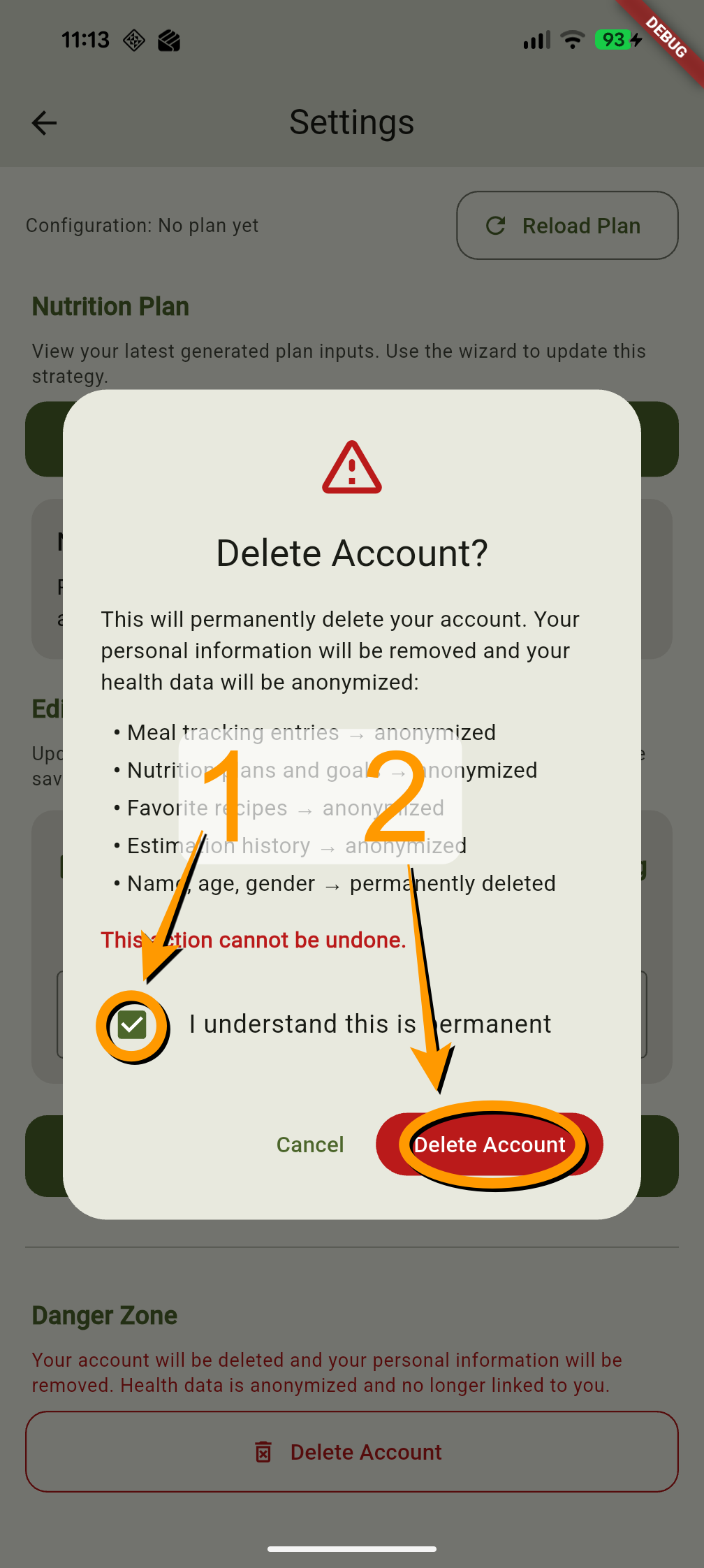
Option 2 — By Email
Request account deletion by email
If you are unable to access the app, you can request the deletion of your account by sending an email to us.
📧 Send a deletion request
Write an email to main.gme.digital@gmail.com with the subject line "Account Deletion Request" and include the following information:
- Email address linked to your NutriMax account
⏱ Deletion requests submitted by email are processed within 2 business days
(Germany). You will receive a confirmation once your account and all associated data have been
permanently removed.